

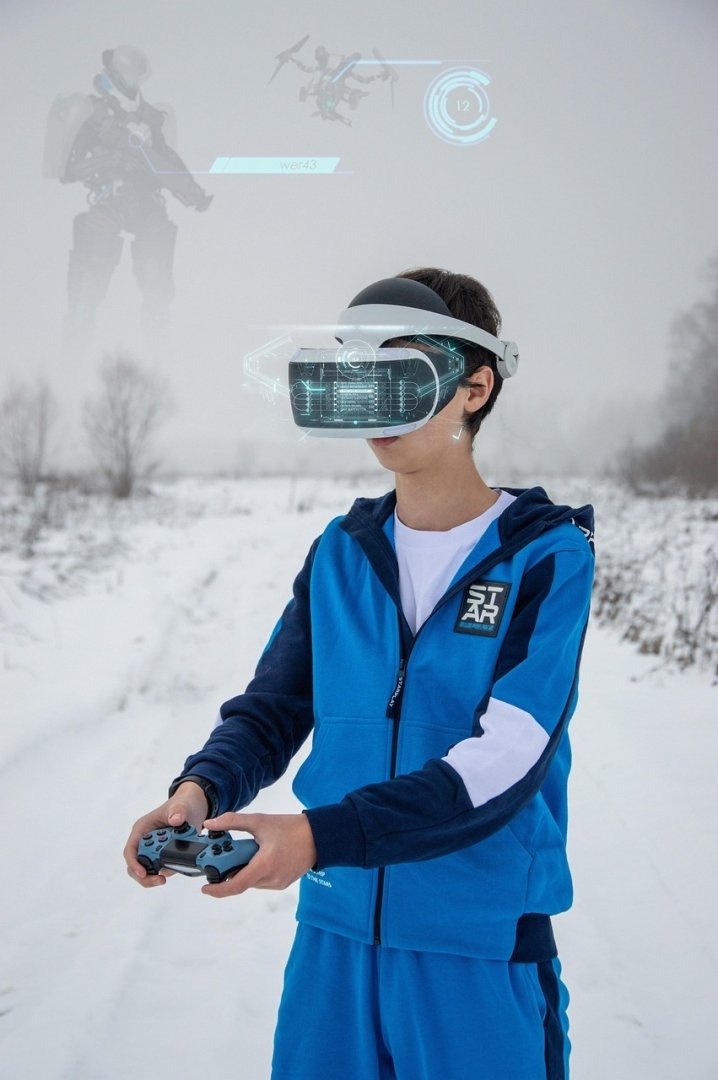
The Cinematic Reality Bending Viral Social Media Advertisement Prompt empowers creators to produce high-end, surrealist video content that stops the scroll by seamlessly merging impossible physics with hyper-realistic product placement. By utilizing advanced generative AI video models, this prompt creates visually arresting sequences where environments morph, gravity shifts, and everyday objects transform into abstract art, making it an essential tool for high-conversion marketing campaigns. Whether you are a digital agency aiming to produce trending videos for TikTok and Instagram Reels or an independent creator looking to push the boundaries of visual storytelling, this framework provides the precise technical direction needed to achieve professional results. It is particularly effective for brands seeking to maximize engagement through mind-bending aesthetics, providing a robust foundation for building viral social media advertisements that leverage the latest innovations in AI video generation and cinematic production techniques.
Contents
About Prompt
Prompt Type: Cinematic Commercial Video Generation
Prompt Nature: Text-to-Video / Image-to-Video
Niche: Luxury Marketing, Surrealist Advertising, Social Media Branding
Category: Viral Content Production
Language: English
Prompt Title: Cinematic Reality Bending Viral Social Media Advertisement Prompt
Prompt Platforms: Runway Gen-3 Alpha, Luma Dream Machine, Kling AI, OpenAI Sora
Target Audience: Social Media Managers, Creative Directors, Digital Marketers
Skill Level: Advanced
Visual Style: Surrealist, Cinematic, High-Fashion, Hyper-Realistic
Optional Notes: Use with a consistent seed and reference frame to maintain product identity across morphing sequences.
How to Use This Prompt
- Step 1: Select a high-performance AI video generation platform such as Runway, Luma, or Kling.
- Step 2: Upload a high-resolution hero shot of your product as a reference image to ensure branding consistency throughout the reality-bending transitions.
- Step 3: Copy the provided master prompt and paste it into the motion or prompt input field.
- Step 4: Adjust the motion intensity and temporal consistency settings within your chosen platform to balance the surreal effects with product clarity.
- Step 5: Render the sequence and utilize a professional video editor to add sound design and brand overlays.
Required Input: A high-quality product image or brand asset to serve as the visual anchor.
Customize: Modify the environment (e.g., desert, luxury penthouse, floating city), the product type, and the specific transition effects to match your brand’s unique identity.
Prompt
Scene 1: The Stillness. 0-3 Seconds. A pristine, high-end product sits on a reflective obsidian surface in a minimalist, brutalist architectural space. Soft, directional rim lighting highlights the textures of the product. The camera performs a slow, cinematic push-in. High contrast, 8K resolution, photorealistic, cinematic color grading with cool blue shadows and warm golden highlights.
Scene 2: The Reality Shift. 3-7 Seconds. The obsidian surface beneath the product begins to liquefy, turning into a viscous, metallic mercury. The environment walls start to fold like origami paper, revealing a vast, impossible landscape of floating geometric monoliths. The product remains anchored in the center, perfectly sharp and detailed. Fluid motion, physics-defying transitions, motion blur, hyper-realistic rendering, 35mm lens aesthetic.
Scene 3: The Surreal Bloom. 7-12 Seconds. From the product, crystalline structures and holographic particles erupt in slow motion, swirling around the object. The lighting shifts to an ethereal, bioluminescent glow, casting soft reflections on the product surface. The background transitions into a nebula-like sky. Macro focus on the product, extreme detail, depth of field, 85mm lens.
Scene 4: The Final Transformation. 12-15 Seconds. The particles coalesce into a sleek, stylized brand logo hovering just behind the product. The camera performs a dynamic orbit, showcasing the product from all angles. The lighting stabilizes into a clean, professional studio setup. Sharp focus, clean lines, high-end commercial aesthetic, 4K HDR.
Technical Specs: 24fps, cinematic motion, constant identity, high-fidelity texture reproduction, physically accurate reflections, ray-traced shadows, seamless transitions, no jump cuts. Sound design: Low-frequency bass rumble in scene 1, ethereal chime sounds in scene 3, clean metallic click in scene 4. Background music: Minimalist cinematic ambient track with a steady, driving rhythmic pulse.
Prompt Variations
1. Cyberpunk Neon: Set in a rain-slicked, futuristic city at night with vibrant neon lighting, high-contrast shadows, and digital glitch transitions.
2. Ethereal Nature: The product is surrounded by floating flora and glowing water, with a soft, dreamlike color palette and slow, graceful camera movements.
3. Minimalist Luxury: A high-fashion, high-key lighting approach with white-on-white aesthetics and subtle, elegant morphing of fabric-like textures.
4. Retro Futurism: A 1970s sci-fi aesthetic with warm, saturated orange and teal tones, grain, and analog lens flares for a nostalgic yet surreal feel.
5. Abstract Geometry: A focus on mathematical precision where the environment shifts through complex, non-Euclidean shapes and monochromatic textures.
Negative Prompt
low quality, low resolution, compression artifacts, blur, noise, poor anatomy, duplicate subjects, cropped, bad proportions, watermarks, logos, text overlays, incorrect lighting, oversaturated colors, underexposed, overexposed, motion artifacts, render errors, AI hallucinations, extra limbs, extra fingers, incorrect perspective, identity drift, camera jitter, frame flicker, temporal inconsistency, lip sync mismatch, motion warping, scene discontinuity, character inconsistency, object morphing, background instability, audio clipping, music distortion, flat lighting, messy textures, blurry edges.
Expert Usage Tips
Use a consistent seed value across all scenes if your platform supports it to ensure the product remains perfectly identical.
Increase the motion slider settings in your AI tool if you want more aggressive environment transformations between scenes.