

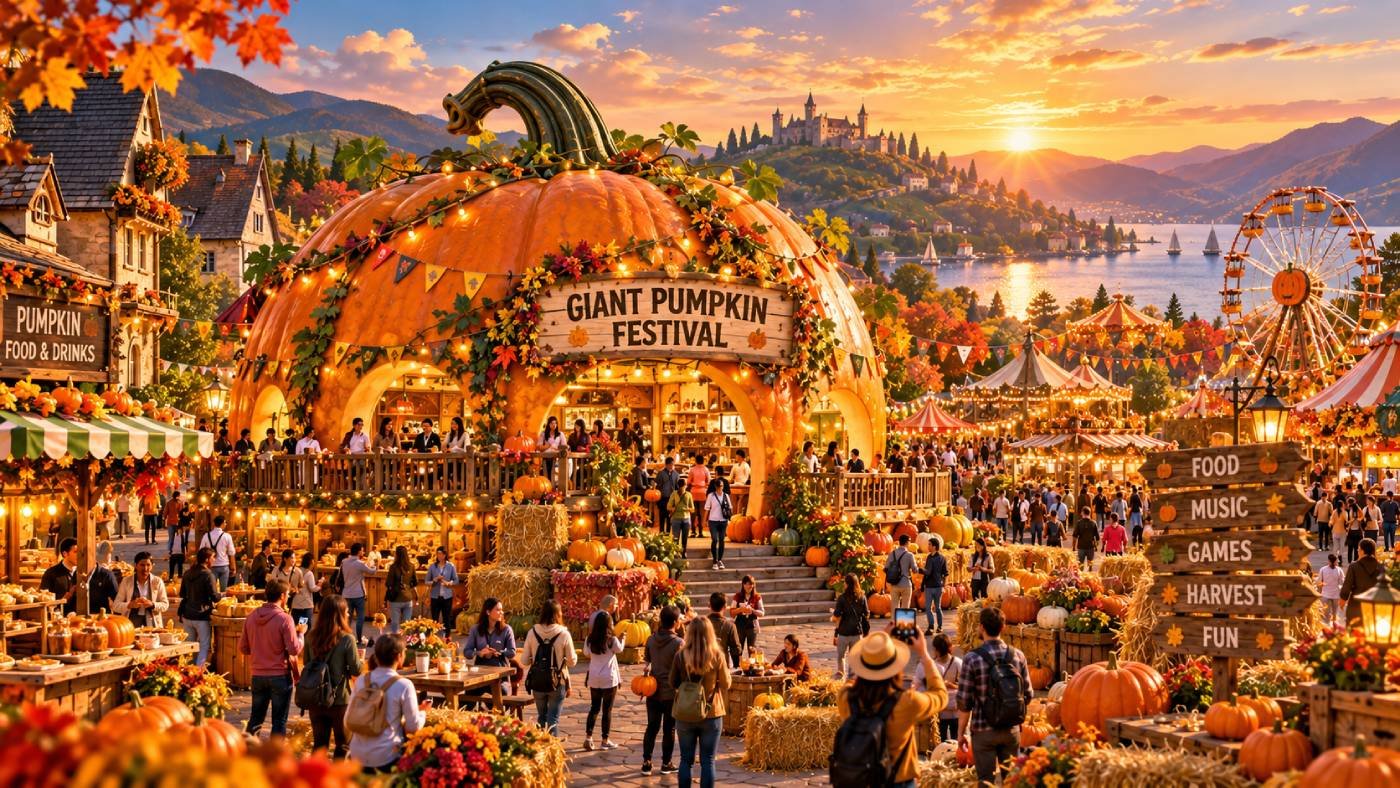
The Giant Pumpkin Festival Harvest Celebration CGI Commercial Prompt provides a sophisticated, production-ready framework for creating high-end, cinematic advertisements centered around autumnal festivities. Designed for use with advanced generative AI video models and high-fidelity rendering engines, this prompt enables creators to produce visually stunning, photorealistic sequences featuring massive, prize-winning pumpkins, rustic harvest landscapes, and a warm, nostalgic atmosphere. Whether for social media marketing, television spots, or digital brand campaigns, this resource ensures professional-grade lighting, consistent color grading, and intricate detail. It is an essential asset for creative directors, motion designers, and brand managers looking to leverage cutting-edge AI technology to capture the essence of the harvest season with cinematic precision. By utilizing this prompt, users can streamline their creative production workflow, ensuring high-impact visual storytelling that resonates with audiences during peak autumn seasons.
Contents
About Prompt
Prompt Type: Cinematic Commercial Production
Prompt Nature: Text-to-Video and High-Fidelity Image Generation
Niche: Seasonal Marketing / Holiday Advertising
Category: Commercial CGI Production
Language: English
Prompt Title: Giant Pumpkin Festival Harvest Celebration CGI Commercial Prompt
Prompt Platforms: Runway Gen-3 Alpha, Luma Dream Machine, Kling AI, Midjourney v6, Unreal Engine 5
Target Audience: Creative Directors, Social Media Managers, Ad Agencies
Skill Level: Advanced
Visual Style: Cinematic Photorealism
Optional Notes: For best results, use a 21:9 aspect ratio and prioritize temporal consistency settings in your chosen AI video model.
How to Use This Prompt
- Step 1: Select a high-performance AI video generation platform such as Runway, Luma, or Kling.
- Step 2: Copy the provided Master Prompt and paste it into the prompt input field of your chosen tool.
- Step 3: Adjust the [aspect_ratio] and [duration] parameters to match your specific campaign requirements.
- Step 4: If using an Image-to-Video model, upload a high-resolution base image of your hero pumpkin before entering the prompt to ensure character consistency.
- Step 5: Generate the sequence and use post-production tools to color-grade if a specific brand-identity palette is required.
Required Input: No external file required. Customize the relevant details directly inside the prompt.
Customize: [subject], [location], [lighting], [camera_movement], [color_palette], [aspect_ratio], [duration].
Example Values
[subject]: An oversized, prize-winning Atlantic Giant pumpkin with deep orange skin and intricate natural textures
[location]: A mist-covered New England farmhouse courtyard during golden hour
[lighting]: Cinematic volumetric amber sunlight filtering through autumn foliage
[camera_movement]: A slow, sweeping cinematic crane shot transitioning into a tight macro focus
[color_palette]: Warm harvest ochres, deep burnt oranges, and soft atmospheric teal shadows
[aspect_ratio]: 21:9
[duration]: 10 seconds
Prompt
Prompt Variations
Variation 1 (Nighttime Festival): Shift the [location] to a nighttime festival scene with thousands of glowing jack-o’-lanterns. Use [lighting] to focus on the vibrant orange glow against a deep indigo twilight sky. Emphasize a magical, enchanting mood with lens flares and bokeh.
Variation 2 (Macro Detail): Focus exclusively on the [subject] using a 100mm macro lens. Capture the microscopic dew drops and veins on the pumpkin skin. Use [lighting] to create dramatic side-lighting that highlights texture. Perfect for high-end beauty-style product shots.
Variation 3 (Dynamic Drone): Utilize a sweeping FPV drone [camera_movement] that flies over the entire festival grounds before locking onto the giant pumpkin. Use [color_palette] to create a high-energy, vibrant, and exciting atmosphere suitable for viral social media reels.
Variation 4 (Vintage Film): Apply a 16mm film stock aesthetic to the [subject]. Use [lighting] to mimic natural overcast daylight. Add heavy film grain, slight color bleeding, and a soft, nostalgic vignette to evoke a sense of heritage and tradition.
Variation 5 (Stylized Fantasy): Transform the [subject] into a whimsical, oversized pumpkin in a fairy-tale forest. Use [lighting] to create magical, ethereal light rays. Incorporate floating fireflies and vibrant, saturated [color_palette] for a storybook, high-fantasy commercial look.
Negative Prompt
Expert Usage Tips
1. Use a lower frame rate (24fps) in your settings to achieve a more cinematic, film-like aesthetic for your commercial.
2. If the AI struggles with pumpkin texture, add “subsurface scattering” to the prompt to ensure the light penetrates the skin realistically.
3. To maintain consistency across multiple clips, keep the [location] and [color_palette] descriptions identical in every scene prompt.
4. Use a reference image of your specific brand’s pumpkin or product to ensure the AI maintains the correct shape and color identity.
5. Experiment with “Golden Hour” lighting versus “Blue Hour” to completely change the emotional tone of your harvest celebration.