

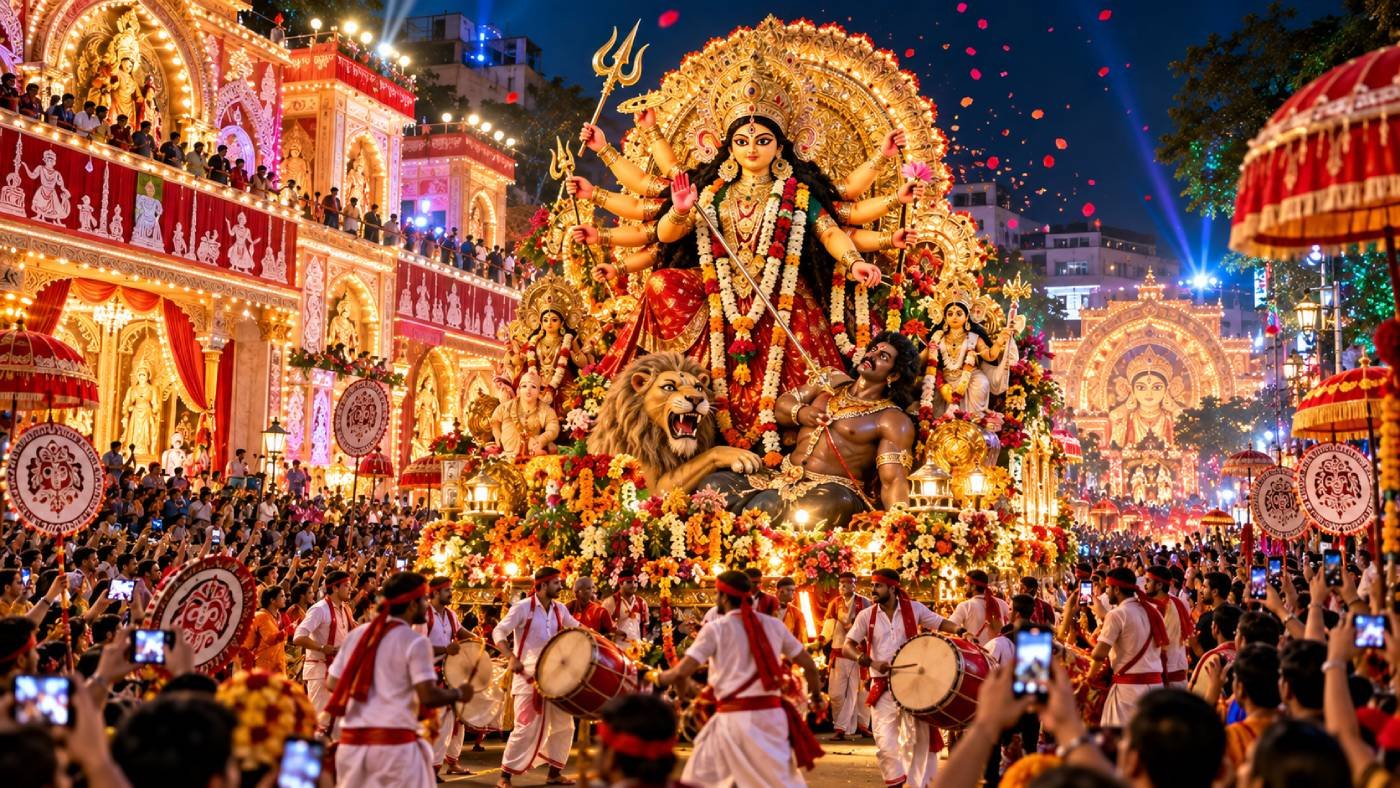
The Grand Durga Puja Celebration Procession Video Prompt provides a comprehensive cinematic framework for generating high-quality, culturally immersive video content depicting the vibrant festivities of Durga Puja. This prompt enables creators, filmmakers, and digital marketers to produce visually stunning sequences that capture the essence of the festival, including intricate idol processions, traditional dhak drumming, rhythmic dance, and the festive fervor of the crowds. By utilizing advanced AI video models such as Kling, Sora, or Runway Gen-3, users can generate professional-grade footage suitable for social media reels, cultural documentaries, or high-end marketing campaigns. This resource is specifically designed for content creators aiming to achieve authentic aesthetic representation, dynamic camera movement, and consistent visual storytelling without the need for an extensive film crew. Whether for personal storytelling or professional brand engagement, this prompt ensures a cinematic, evocative result that resonates with global audiences and honors the spirit of the celebration.
Contents
About Prompt
Prompt Type: Text to Video
Prompt Nature: Cinematic Video Generation
Niche: Cultural Festivals and Documentary Production
Category: Creative Content Production
Language: English
Prompt Title: Grand Durga Puja Celebration Procession Video Prompt
Prompt Platforms: Kling, Runway Gen-3, Luma Dream Machine, Sora, OpenAI
Target Audience: Filmmakers, Social Media Managers, Digital Artists, Cultural Content Creators
Skill Level: Intermediate to Advanced
Visual Style: Cinematic, Hyper-Realistic, Vibrant, Documentary-Style
Optional Notes: For best results, use a high temporal consistency setting. Refer to AI video research papers for insights on motion stability.
How to Use This Prompt
- Step 1: Select a high-performance AI video generation platform such as Kling or Runway.
- Step 2: Copy the provided Master Prompt into the text-to-video input field.
- Step 3: Adjust the aspect ratio settings to 16:9 for cinematic viewing or 9:16 for social media platforms.
- Step 4: Customize the [location] and [lighting] variables to match your specific vision for the procession.
- Step 5: Generate the video and use post-production tools to add traditional percussion audio for maximum impact.
Required Input: No external file required. Customize the relevant details directly inside the prompt.
Customize: [location], [lighting], [camera_movement], [color_palette], [duration]
Example Values
[location]: Narrow, colorful streets of North Kolkata during twilight
[lighting]: Warm golden decorative fairy lights mixed with cool blue evening ambient light
[camera_movement]: Smooth cinematic tracking shot following the procession
[color_palette]: Deep vermilion, marigold yellow, and vibrant festive sari colors
[duration]: 10 seconds
Prompt
Prompt Variations
Variation 1: Focus on the traditional Dhak drummers in a close-up, high-energy sequence. Use a handheld camera style to emphasize the intensity of the performance, vibrant color palette, 4K resolution, fast-paced editing style, focus on sweat and rhythmic drum beating.
Variation 2: Aerial drone shot of the entire procession winding through a historic city square at night. Wide-angle lens, cool blue ambient light contrasted with warm orange street lamps, cinematic sweep, majestic scale, 8K hyper-realistic rendering.
Variation 3: Intimate, slow-motion sequence of a devotee offering red vermilion (sindoor) during the final day of the festival. Soft, natural morning light, shallow depth of field, emotional atmosphere, 85mm lens, focus on textures of fabric and skin, high-end documentary aesthetic.
Variation 4: Futuristic, cyberpunk interpretation of Durga Puja. Neon lighting, glowing LED decorations on the idol, metallic textures, rain-slicked streets reflecting vibrant colors, cinematic tracking shot, dramatic shadows, 4K CGI render style.
Variation 5: Artistic, watercolor-inspired animation style. Soft, flowing transitions, pastel color palette, ethereal lighting, magical atmosphere, slow-motion movement, dreamlike quality, high-definition digital art style, 16:9 aspect ratio.
Negative Prompt
Expert Usage Tips
Increase the motion intensity setting in your AI tool if you want more dynamic movement in the crowd scenes. Keep the prompt focused on one primary visual subject per scene to ensure better character consistency.
Use a 35mm or 50mm lens setting in your prompt to achieve a more cinematic, professional film look. Always ensure your aspect ratio is locked before generating to prevent cropping issues.
If the AI struggles with identity, use a static seed number to maintain consistency across multiple generations. Layering your own traditional music tracks in post-production will significantly enhance the final video’s impact.
For better lighting, specifically describe the time of day to influence the AI’s color palette selection. Use descriptive lighting terms like ‘golden hour’ or ‘soft diffuse light’ to guide the mood.
Experiment with ‘negative prompt’ refinement if you notice background flickering during the procession. Consistency is easier to maintain when you limit the number of main subjects in the frame.