
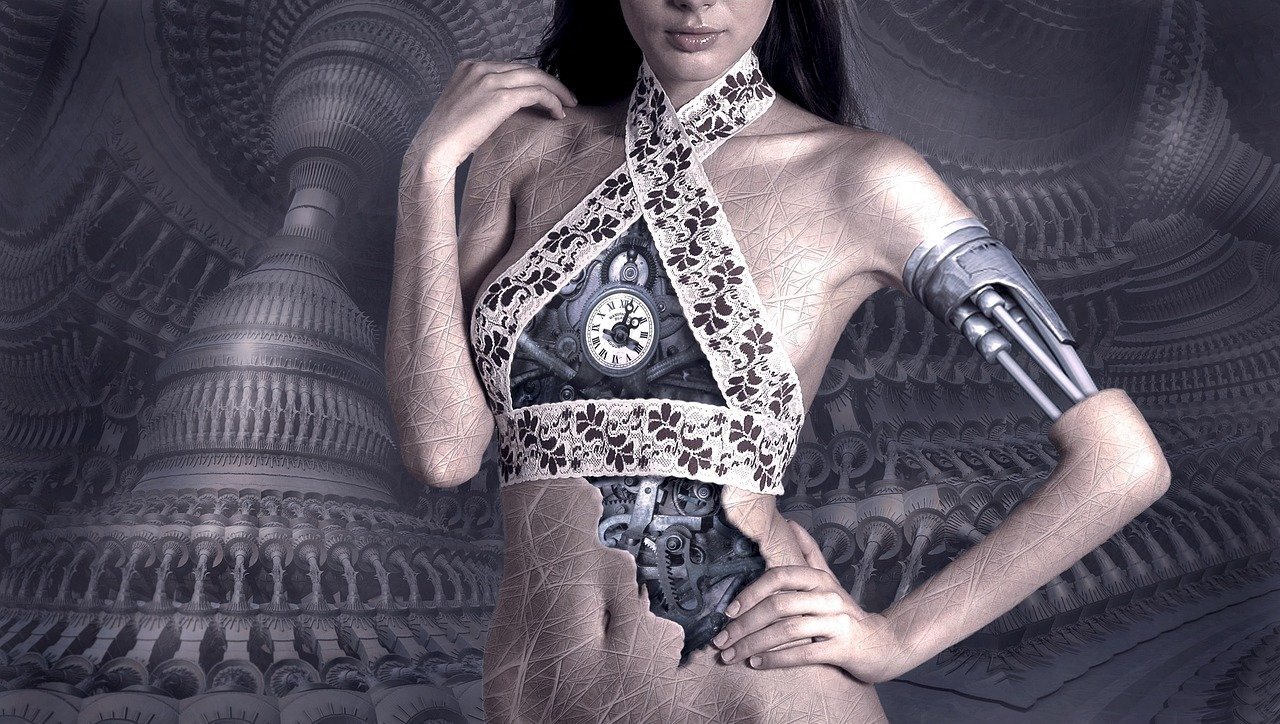
The concept of a *Reality Glitch Digital Distortion* is becoming increasingly relevant in our digitally saturated world. As technology blurs the lines between the real and the virtual, the idea of glitches manifesting in our perceived reality gains traction, fueled by advancements in augmented and virtual reality, deepfakes, and AI-generated content. Understanding how these distortions arise, whether through deliberate manipulation or unintentional errors in complex systems, is crucial for maintaining trust in information and navigating the digital landscape responsibly. The artistic exploration of reality glitches also offers a unique lens through which to examine our relationship with technology and the ever-evolving nature of perception, raising profound questions about authenticity and the future of human experience.
About Prompt
Prompt Type: Content Generation, Image Creation, Coding, Educational, Marketing
Niche: Technology, AI, Gaming, Finance, Health, Lifestyle, Education
Category: Tips, Tricks, Tutorials, Guides, Examples, Templates
Language: English, Hindi, Spanish, Other
Prompt Title: Reality Glitch Digital Distortion Prompt
Prompt Platforms: ChatGPT, GPT 4, GPT 4o, Claude, Claude 3, Claude Sonnet, Gemini, Gemini Pro, Gemini Flash, Google AI Studio, Grok, Perplexity, Copilot, Meta AI, LLaMA, Mistral, Cohere, DeepSeek, Midjourney, DALL E, Stable Diffusion, Leonardo AI, Runway, Pika, Synthesia, ElevenLabs, Other AI Platforms
Target Audience: Beginners, Professionals, Students, Content Creators, Developers, Marketers, Designers
Optional Notes: Any additional context that improves prompt clarity
Prompt
I. Text-to-Image Prompt
-
Objective: Generate an image depicting a realistic scene undergoing a “reality glitch” or digital distortion.
-
Target Audience: Digital artists, graphic designers, game developers.
-
Style: Photorealistic with surreal elements.
-
Tone: Mysterious, unsettling, thought-provoking.
-
Output Format: High-resolution JPG or PNG.
-
Core Prompt Structure:
[Subject] experiencing [Type of Glitch] in a [Setting], [Artistic Style], [Lighting], [Camera Angle] -
Variables & Examples:
[Subject]:Example 1: A crowded city streetExample 2: A portrait of a [Person] (e.g., young woman, elderly man)Example 3: A lush forest
[Type of Glitch]:Example 1: pixelation and tearingExample 2: stretching and warping of texturesExample 3: repeating patterns and fractalizationExample 4: color inversion and chromatic aberrationExample 5: Displacement mapping with unexpected textures
[Setting]:Example 1: at night under neon lightsExample 2: during a sunny afternoonExample 3: inside a modern office building
[Artistic Style]:Example 1: photorealisticExample 2: cyberpunkExample 3: surrealist
[Lighting]:Example 1: harsh, contrasting shadowsExample 2: soft, diffused lightExample 3: bioluminescent
[Camera Angle]:Example 1: low angle, emphasizing the scale of the distortionExample 2: bird’s eye view, showing the overall patternExample 3: close-up, focusing on the details of the glitch
-
Example Prompt:
A crowded city street experiencing pixelation and tearing at night under neon lights, photorealistic, harsh, contrasting shadows, low angle, emphasizing the scale of the distortion -
Optional Enhancements:
- Add specific artists as inspiration (e.g., “in the style of Beeple”).
- Specify a color palette (e.g., “predominantly blue and orange”).
- Include keywords like “digital decay,” “glitch art,” or “cyberpunk aesthetic.”
II. Image-to-Video Prompt
-
Objective: Animate the still image generated above to create a short video showcasing the “reality glitch” evolving over time.
-
Target Audience: Digital artists, VFX artists, content creators.
-
Style: Subtle and unsettling animation.
-
Tone: Eerie, mysterious, captivating.
-
Output Format: MP4
-
Core Prompt Structure:
Animate the image of [Description of Image] with [Type of Animation] to show [Evolution of Glitch] -
Variables & Examples:
[Description of Image]: (Use the description from the text-to-image prompt result)Example: A photorealistic crowded city street experiencing pixelation and tearing at night under neon lights.
[Type of Animation]:Example 1: subtle camera movementExample 2: gradual distortion effectsExample 3: looping animation of glitch patterns
[Evolution of Glitch]:Example 1: the glitch intensifies over timeExample 2: the glitch spreads across the imageExample 3: the glitch appears and disappears randomly
-
Example Prompt:
Animate the image of a photorealistic crowded city street experiencing pixelation and tearing at night under neon lights with gradual distortion effects to show the glitch spreading across the image. -
Optional Enhancements:
- Add sound effects to enhance the unsettling atmosphere.
- Use slow motion to emphasize the distortion.
- Incorporate particle effects to simulate digital decay.